UGREEN FineCam Pro 4K Webcam with PDAF Autofocus & AI Mics

UGREEN FineCam Pro 4K Webcam with PDAF Autofocus & AI Mics

Regular price $67.99 USD
Regular price $67.99 USD Sale price
Shipping calculated at check out.

Look Sharper. Sound Clearer. Make Every Call More Professional.

Your webcam is often the first thing people see in an online meeting.

A blurry image, poor lighting, slow autofocus, or noisy microphone can make an important meeting, presentation, interview, or stream feel less professional than it should.

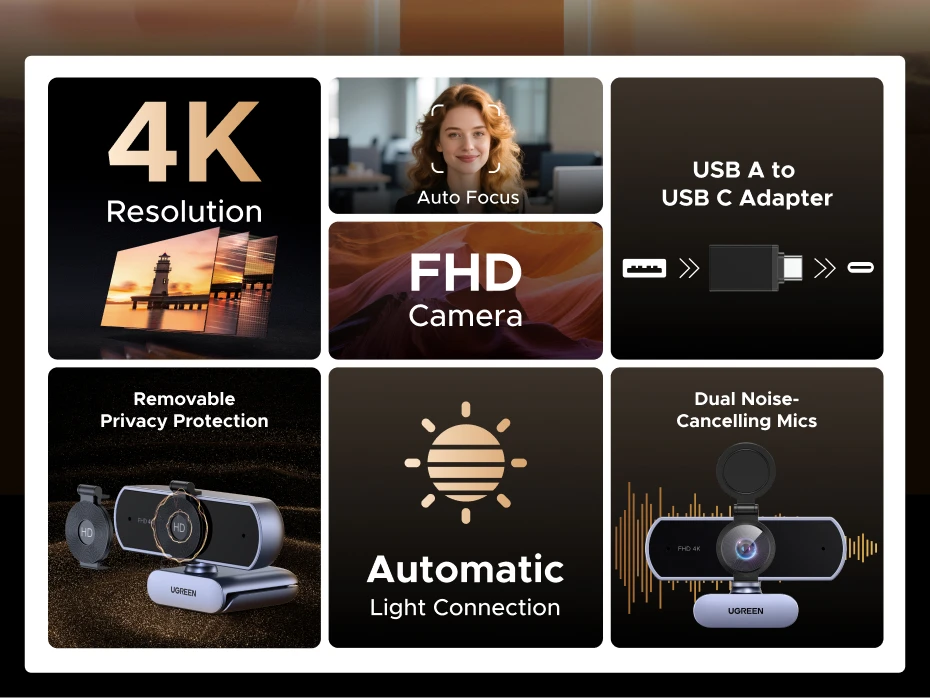
The UGREEN FineCam Pro 4K Webcam upgrades both sides of the experience with an 8MP sensor, 4K video, PDAF autofocus, dual noise-cancelling microphones, automatic light correction, and intelligent camera controls.

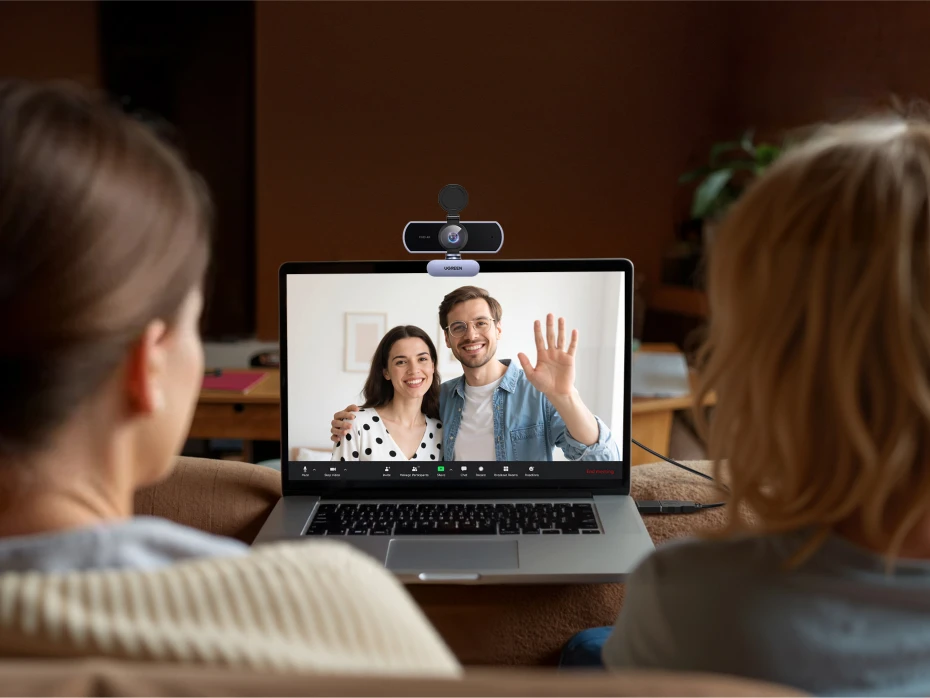
Whether you’re joining a Zoom meeting from your MacBook, presenting to clients, teaching online, creating content, or streaming, you can look clearer and sound better without building a complicated camera setup.

Better image. Clearer voice. More professional communication.

4K Clarity — Because Details Matter

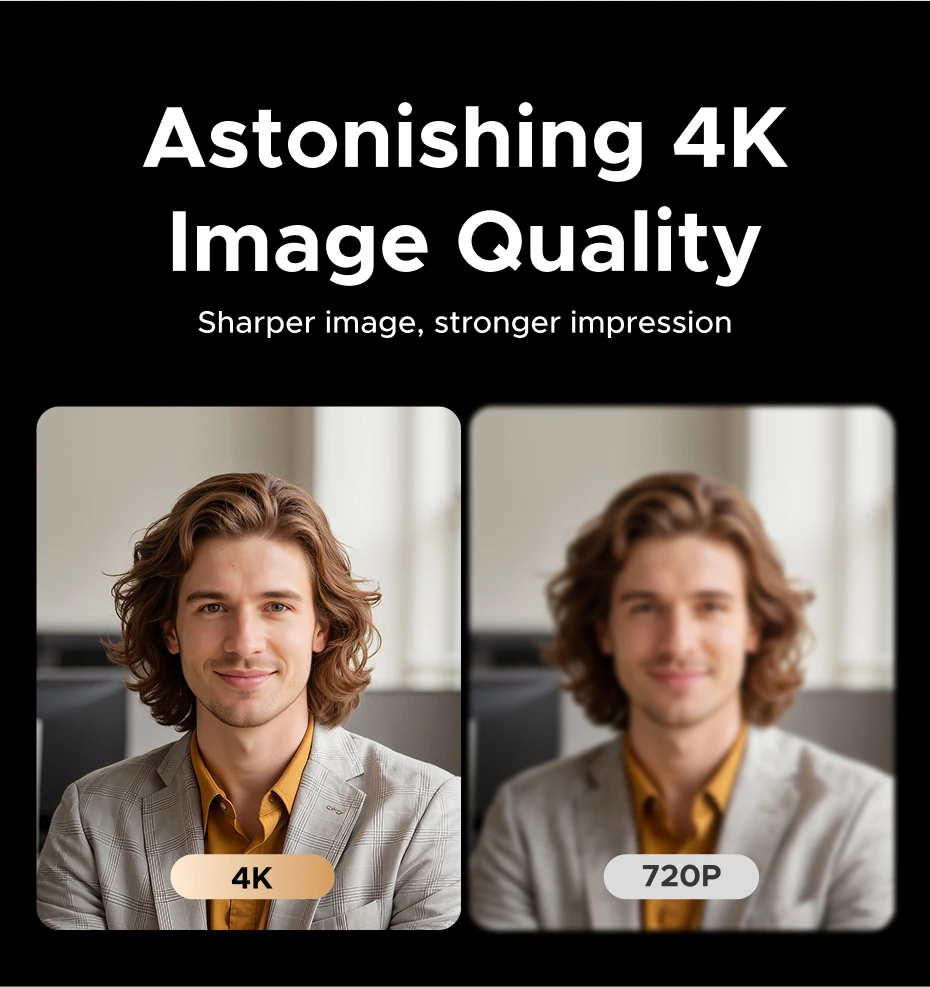
The 8MP CMOS sensor captures video at up to 4K resolution at 30fps, giving your calls, presentations, and content significantly more visual detail than a basic webcam.

It’s especially useful when:

  • Presenting professionally to clients
  • Working remotely
  • Recording content
  • Teaching online
  • Streaming
  • Showing physical products or documents
  • Joining important interviews
  • Running business meetings

Instead of simply being visible, you can present yourself with a sharper, more polished image.

1080p at 60fps for Smoother Video

Maximum resolution isn’t always what you need.

When smoother motion matters more, the FineCam Pro can operate at 1080p up to 60fps.

That makes it useful for situations with more movement, including presentations, demonstrations, streaming, and content creation.

Choose between:

4K @ 30fps — maximum detail

or

1080p @ 60fps — smoother motion

PDAF Autofocus Keeps You Sharp

You shouldn’t have to sit perfectly still just to stay in focus.

The FineCam Pro uses PDAF — Phase Detection Autofocus to quickly focus on your subject and maintain a clear image.

UGREEN specifies an autofocus working range of approximately 0.1 to 5 meters.

Move closer to show something to the camera.

Lean back during a meeting.

Present an object.

The camera adjusts focus instead of leaving you with a distracting blurry image.

Dual Noise-Cancelling Microphones

Good video isn’t enough if nobody can hear you clearly.

The webcam includes two built-in omnidirectional noise-cancelling microphones designed to capture your voice while helping reduce unwanted background noise.

That means clearer communication during:

  • Zoom meetings
  • Microsoft Teams calls
  • Google Meet sessions
  • Online classes
  • Client meetings
  • Video interviews
  • Streaming
  • Remote collaboration

For many everyday calls, you can get both your camera and microphone from one device.

Automatic Light Correction

Not every desk has studio lighting.

The webcam automatically adjusts color temperature and lighting according to the environment, helping improve your appearance when lighting conditions aren’t ideal.

This is particularly useful for home offices, bedrooms, shared workspaces, or meetings at different times of day.

You spend less time adjusting your setup and more time focusing on the call.

AI Gesture Control

Control supported camera functions without constantly reaching for your computer.

The FineCam Pro supports AI gesture controls, allowing supported functions such as framing and zoom adjustments to be controlled using gestures.

This becomes particularly useful when you’re:

Presenting.

Teaching.

Standing away from your computer.

Demonstrating a product.

Creating content.

It gives you more control over the camera without interrupting what you’re doing.

Landscape or Portrait — You’re Not Limited to Meetings

Traditional webcams are designed almost exclusively for horizontal video.

The FineCam Pro supports both landscape and portrait orientations, making it more flexible for modern content creation.

Landscape works naturally for meetings, presentations, YouTube, and streaming.

Portrait orientation gives you additional flexibility for vertical content and mobile-focused formats.

One webcam can adapt to more than one type of workflow.

7 Built-In Filters

Want a different look without spending time adjusting software settings?

The FineCam Pro includes 7 built-in filters that can be selected directly from the camera.

That gives creators, streamers, and everyday users more control over how their video looks without making the setup unnecessarily complicated.

Privacy When the Meeting Ends

A webcam shouldn’t leave you wondering whether the lens is still exposed.

The integrated privacy shutter lets you physically cover the camera when you’re finished using it.

Meeting over?

Close the lens.

Simple and reassuring.

A Strong Upgrade for Mac Users

The FineCam Pro is compatible with macOS, making it a useful external-camera upgrade for a Mac-based desk setup.

Use it with compatible:

  • MacBook Air
  • MacBook Pro
  • Mac mini
  • iMac
  • Mac Studio
  • Mac Pro

It’s particularly useful if your MacBook spends most of the day connected to an external monitor.

Instead of opening or repositioning your MacBook every time you need its built-in camera, place the FineCam Pro directly on your external display and keep your workstation exactly how you want it.

Perfect for Mac mini & Mac Studio Setups

Mac mini and Mac Studio don’t include a built-in display or webcam.

That means an external camera is an essential part of many desktop setups.

The FineCam Pro gives you a dedicated 4K camera + microphones for meetings, calls, content, and communication while fitting naturally into a desktop Mac workstation.

USB-C With USB-A Compatibility

Modern Mac or PC?

Use the USB-C connection.

Older computer with USB-A?

A USB-A adapter is included, giving you more flexibility across different computers.

No need to choose your webcam based solely on which USB connector your computer has.

Plug In and Get to Work

You don’t need a complicated professional camera system just to improve your video calls.

The FineCam Pro supports plug-and-play operation with compatible computers.

Connect it.

Select the webcam in your preferred video application.

Start your meeting or recording.

No complicated driver installation is required for normal use.

Made for the Apps You Already Use

The FineCam Pro is ideal for popular communication and content platforms, including:

  • Zoom
  • Microsoft Teams
  • Google Meet
  • Skype
  • YouTube
  • Streaming platforms
  • Video conferencing applications

That makes it useful for both professional and personal workflows.

Multiple Mounting Options

Your desk setup shouldn’t have to adapt to your webcam.

The included magnetic stand makes positioning the camera on a compatible display simple, while the included tripodgives you another option when you need more freedom over camera placement.

Use the monitor mount for everyday meetings.

Switch to the tripod for presentations, recording, streaming, or creative setups.

Who Is This Webcam For?

The UGREEN FineCam Pro makes particular sense for:

Remote Professionals
Look and sound more polished during meetings with colleagues and clients.

MacBook Users With External Monitors
Keep your MacBook in your preferred position while placing the webcam directly above your main display.

Mac mini & Mac Studio Users
Add a high-quality camera and microphones to your desktop Mac setup.

Content Creators
Use 4K detail, 1080p 60fps, portrait orientation, filters, and flexible mounting for different types of content.

Students & Teachers
Get clearer video and audio for online classes, lessons, and presentations.

Streamers
Choose between detailed 4K video and smoother 1080p 60fps depending on your workflow.

Why You’ll Love It

This isn’t simply about adding more pixels to your webcam.

It’s about removing the little problems that make video communication frustrating.

Blurry video?
PDAF autofocus helps keep you sharp.

Poor image quality?
An 8MP sensor delivers up to 4K video.

Need smoother movement?
Switch to 1080p at up to 60fps.

Background noise?
Dual noise-cancelling microphones help improve voice clarity.

Bad lighting?
Automatic light correction helps adapt the image.

Need privacy?
Physically cover the lens with the privacy shutter.

Creating vertical content?
Switch between landscape and portrait orientation.

USB-C or USB-A computer?
Support for both connection types gives you more flexibility.

One webcam solves multiple everyday video-call and content-creation problems.

Technical Specifications

Brand: UGREEN

Model: FineCam Pro

SKU: 75726A

Image Sensor: 8MP CMOS

Maximum Video Resolution: 4K @ 30fps

Alternative Video Mode: 1080p @ up to 60fps

Autofocus: PDAF

Autofocus Range: Approximately 0.1–5m

Microphones: 2 × Built-in Omnidirectional Microphones

Noise Cancellation: Supported

AI Gesture Control: Supported

Automatic Light Correction: Supported

Filters: 7 Built-In Filters

Orientation: Landscape & Portrait

Privacy Shutter: Yes

Connection: USB-C

USB-A Compatibility: Yes, with included adapter

Operating System Compatibility: macOS, Windows and Linux

Mounting: Magnetic Stand + Tripod

What’s in the Box?

  • UGREEN FineCam Pro 4K Webcam
  • 2m USB-C Cable
  • USB-A Adapter
  • Magnetic Stand
  • Tripod

Frequently Asked Questions

Is this a real 4K webcam?

Yes. The 8MP CMOS sensor supports video resolution up to 4K at 30fps.

Can it record at 60fps?

Yes. It supports 1080p at up to 60fps.

Use 4K when maximum detail is the priority or 1080p 60fps when smoother motion is more important.

Does it work with Mac?

Yes. It’s compatible with supported macOS computers.

Is it a good webcam for MacBook?

Yes, especially if you use your MacBook with an external monitor and want a dedicated webcam positioned directly above your main display.

Can I use it with Mac mini?

Yes. It’s particularly useful for Mac mini setups because the Mac mini doesn’t have a built-in webcam.

Does it work with Zoom?

Yes. It’s suitable for compatible video-conferencing applications including Zoom.

Does it work with Microsoft Teams and Google Meet?

Yes. It can be used as a webcam and microphone with compatible conferencing applications such as Teams and Google Meet.

Does it have autofocus?

Yes. It uses PDAF autofocus to help quickly and accurately keep subjects in focus.

Does it have a microphone?

Yes. It has two built-in omnidirectional microphones with noise-cancelling technology.

Do I need a separate microphone?

Not necessarily.

The built-in dual microphones are designed for everyday video calls and meetings. Users with specialized professional audio requirements may still prefer a dedicated external microphone.

Does it automatically adjust for poor lighting?

Yes. Automatic light correction and color-temperature adjustment help adapt the image to different lighting environments.

Does it have a privacy cover?

Yes. The built-in privacy shutter physically covers the lens when the webcam isn’t being used.

Does it require drivers?

Normal operation is designed to be plug and play on supported operating systems.

Is it USB-C?

Yes.

A USB-A adapter is also included, making it easier to use with computers that don’t have an available USB-C port.

Can I mount it on a tripod?

Yes. A tripod is included along with the magnetic stand.

Can I use it vertically?

Yes. The FineCam Pro supports both landscape and portrait orientations.

Make Every Call Look More Professional

You don’t need a complicated camera setup to make a noticeable improvement to your meetings and content.

The UGREEN FineCam Pro 4K Webcam combines sharp 4K video, fast PDAF autofocus, dual noise-cancelling microphones, intelligent light correction, privacy, and flexible mounting into one desktop camera.

For your MacBook workstation, Mac mini setup, home office, online meetings, or content creation:

Look clearer. Sound better. Communicate professionally.


Note: 🔒 Secure checkout • Fast shipping • Trusted Apple accessories.

View full details

Frequently asked questions

Can I modify or cancel my order after it's been placed?
While we strive to accommodate changes, it may not always be possible once the order has been processed. Please contact our customer service team as soon as possible if you need to make any modifications.
How do I place an order?
To place an order, simply browse our website and add the desired items to your cart. Once you're ready to checkout, provide your shipping information and payment details.
What is your return policy?
Our return policy outlines the conditions under which you can return a product. Please refer to our website for specific details.
Do you offer gift wrapping?
Yes, we offer gift wrapping services. Please select this option during the checkout process.
Still have questions? Feel free to Contact

Recently viewed

UGREEN FineCam Pro 4K Webcam with PDAF Autofocus & AI Mics

UGREEN FineCam Pro 4K Webcam with PDAF Autofocus & AI Mics

Regular price $67.99 USD
Regular price $67.99 USD Sale price